Human Managed app hm.works 1.13 released with dashboard on detected network config and rule violations
Since its first release on 13 March 2023, the Human Managed web app hm.works has been getting fresh updates every single week to report on intel generated from any data source from our customers.
📝Note: Read more about our approach to creating intel on your digital business' assets, postures & behavior, and establishing 🔗relationships🔗 between them to improve your decisions and actions for many use cases.
This week, we are excited to announce the release of a dashboard that reports on the detections of violations on network assets (such as firewalls).
Introducing...
posture violations ❗
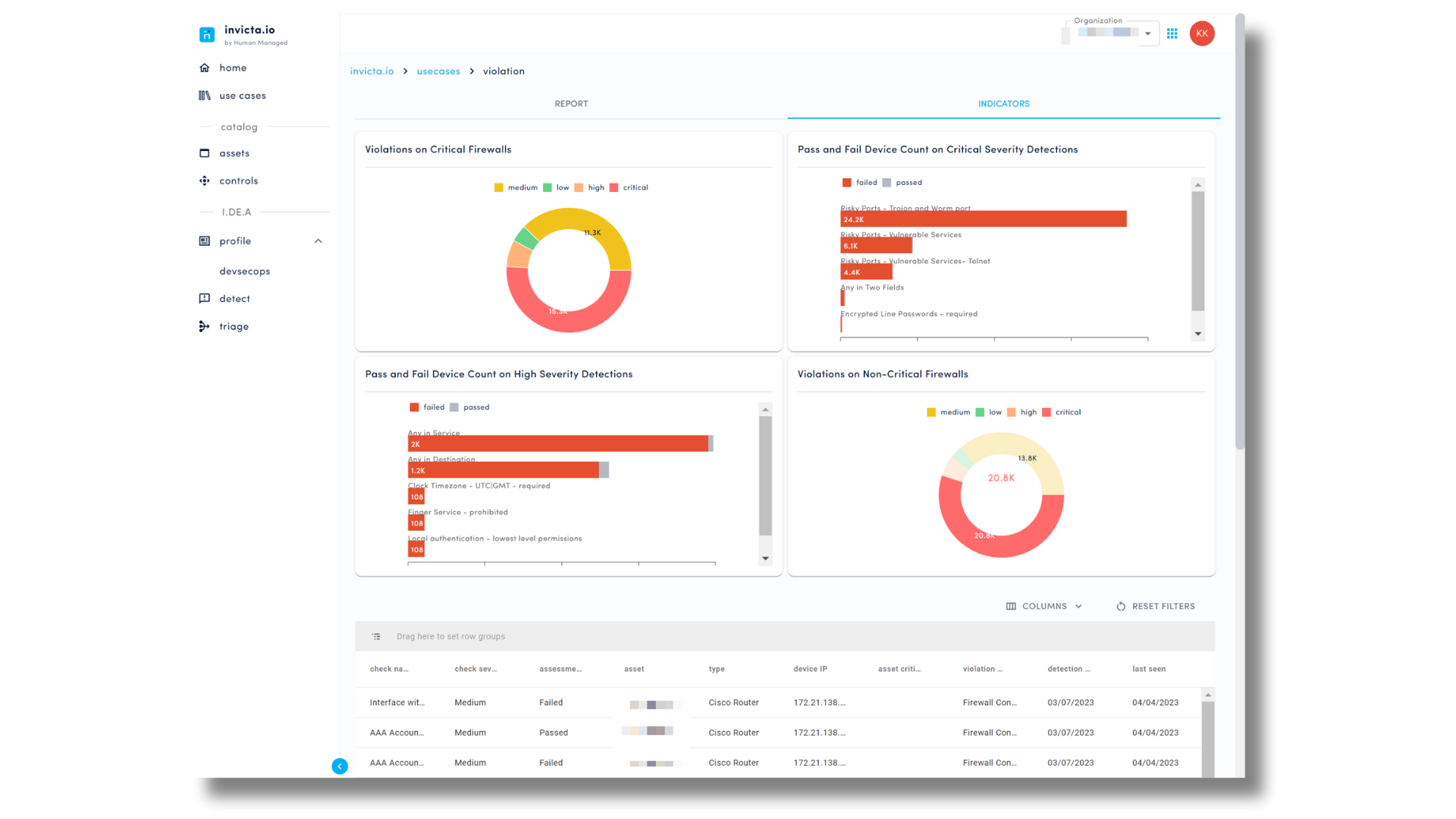
A collection of reports, charts and data grid that present your org's network posture from use cases such as:
firewall config violation
firewall rule violation
router config violation
The posture violation dashboard answers the top 3 things you need to know about your enterprise network posture:
What important checks and rules have our network devices failed on?
What checks and rules should I configure and tune to protect my assets in line with my cyber posture and compliance goals?
Where are the biggest gaps between my preferred posture state and current posture state?
* * *
Before we dive in to the details, some key concepts when it comes to network posture:
posture: a state of a digital asset (read more about our approach to business posture)
policy: a standard that sets the parameters for checks and rules
check: a setting that detects techniques
rule: a setting that blocks techniques
configuration: assignment of policies, checks, and rules
(e.g. a critical firewall's configs of checks and rules may be stricter than a low-criticality firewall's configs, even though they are covered by the same organization network security policy)
assessment: assessment of whether checks and rules are configured according to desired setting
violation: state of failed check / rule / configuration
All these posture states can be monitored as key indicators from your data and adjusted to improve your organizational network posture.
* * *
Let's explore each segment of the posture violation dashboard.
posture violation report

What:
The line chart reports the number of times subscribed violation use cases have been detected by hm.works platform over time.
The table lists all subscribed violation use cases, and the posture indicators that trigger the detection for each use case, and the number of times the indicators are detected over a time period.
📝Note: hm.mworks platform uses automated detections consisting of pre-defined conditions, correlation rules and/or machine learning algorithms to identify suspicious or malicious activities and create Detections that need to be actioned.
Why: Gives you improved visibility of violations across your digital assets, so that you an respond faster to mitigate risk and reduce business impact.
How: Forward or connect data (e.g. configs from your existing firewall, vulnerability & threat management tools) to build, configure, and monitor violation use cases on the hm.works platform.
posture violation indicators
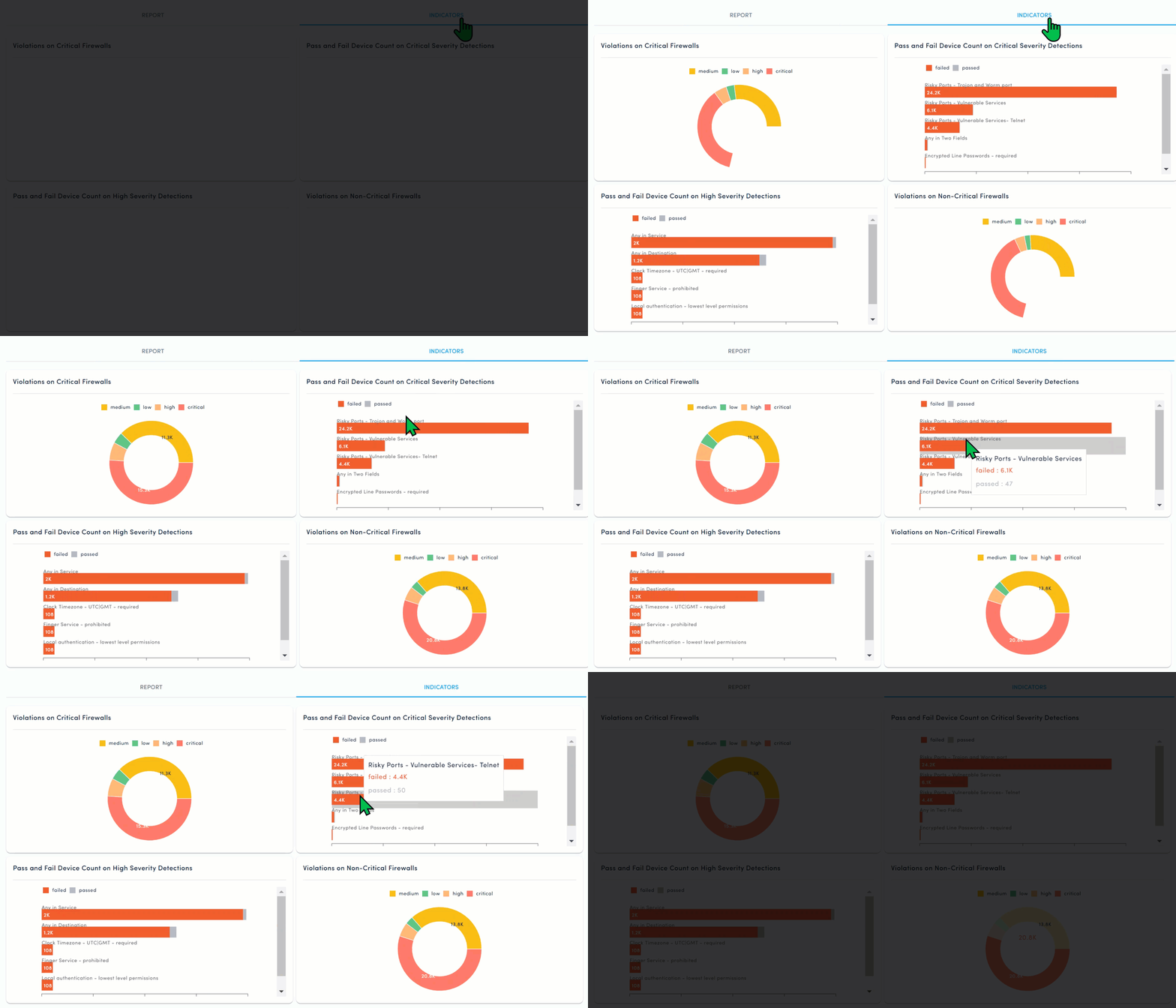
What: A collection of charts with key indicators on network posture violation (e.g. violations on critical firewalls, top 10 critical severity violation detections)
Why: Gives you an overview of existing posture violations in your environment and directs the next step to react or resolve the issues (deeper investigation, prioritization)
How: Forward or connect data (e.g. configs from your existing firewall, vulnerability & threat management tools) to build, configure, and monitor violation use cases on the hm.works platform.
posture violation data grid

What: An interactive grid breaks down your organization's posture violations based on:
check name
check severity (critical, high, medium, low)
assessment status (passed / failed)
asset name
asset type (eg. router, firewall)
device IP
asset criticality (critical, high, medium, low)
violation use case (e.g. firewall config violation, firewall rule violation)
detection date
Why: Understand and explore your current state of network posture and violations in detail, identify blockers, and plan for improvements to achieve desired posture goals.
How: Forward or connect data (e.g. configs from your existing firewall, vulnerability & threat management tools) to build, configure, and monitor violation use cases on the hm.works platform.
exploration: by asset criticality & check severity
To quickly drill down to Critical assets with High severity posture violation, apply the following
group by: violation use case > asset type > assessment status > asset criticality > check severity

exploration: by check name
To quickly drill down to assets that have failed specific checks, apply the following
filter: check names
group by: assessment status > check severity


* * *
And that is hm.works 1.13! We will be releasing more features and updates regularly, so stay tuned.
To get the latest news from Human Managed, follow us on LinkedIn and check out our blog.
* * *
Want to discuss how we can help solve your cyber, digital, or risk operations through data?
Want a test run of the hm.works app?
Have any questions or feedback?
Please contact us at hello@humanmanaged.com.